Create an API Token
Generate an API Key in the Console for CLI calls
An API token is your credential for calling the GETMODEL service in Claude Code / Codex / Gemini CLI — essentially a long string that acts as a password.
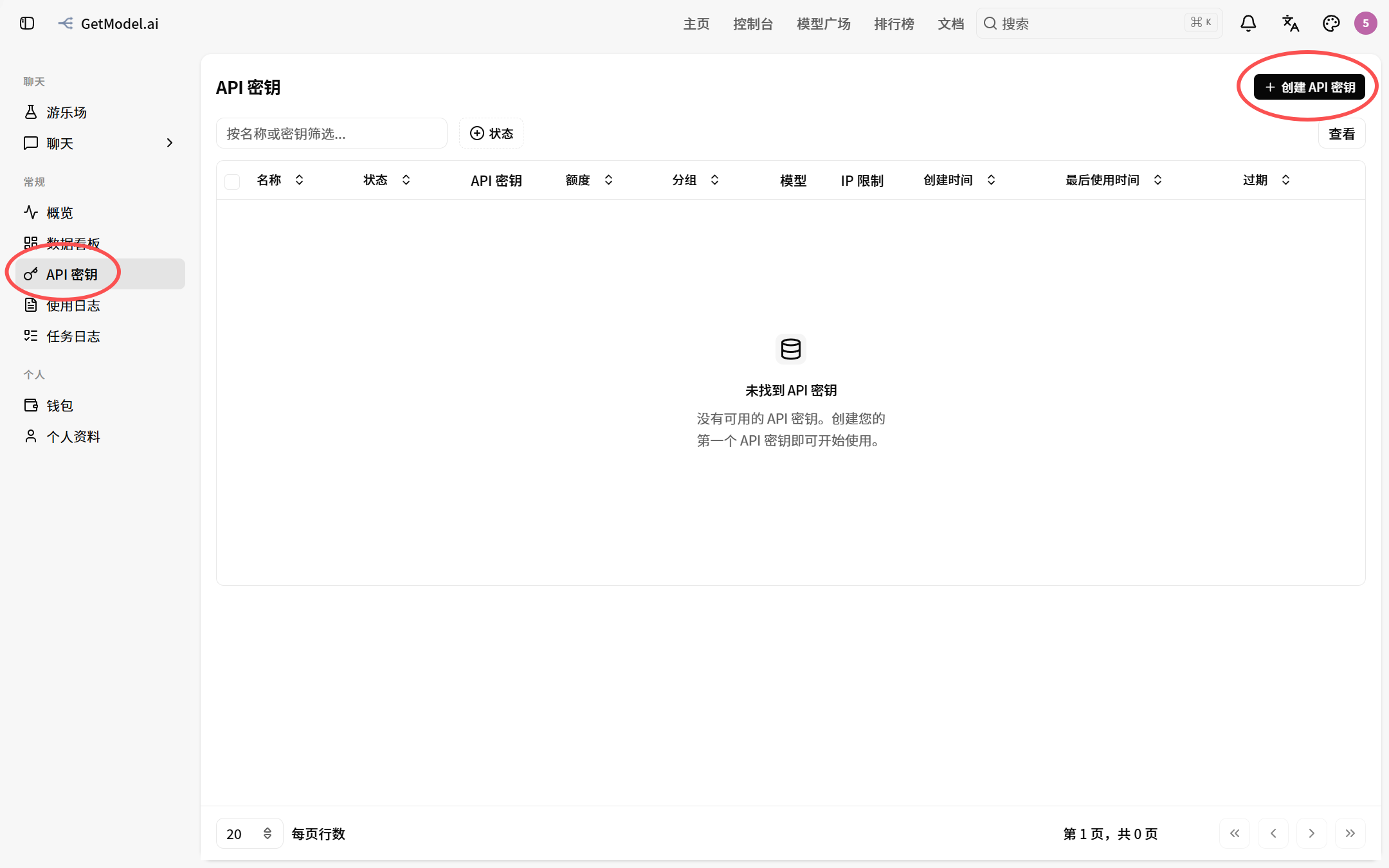
Open Token Management
In the left-hand menu, click "API Keys", then click the "Create API Key" button in the top-right corner
Fill in Token Details
| Field | Required | Description |
|---|---|---|
| Token name | Yes | Give it a recognizable name, such as prod-cc or local-test |
| Token group | Yes | Must be correct! See the warning box below |
| Expiry time | No | Leave empty for never expires |
| Quota limit | No | Set a maximum spend amount for this token individually |
| Model restriction | No | Restrict the range of models this token can access individually |
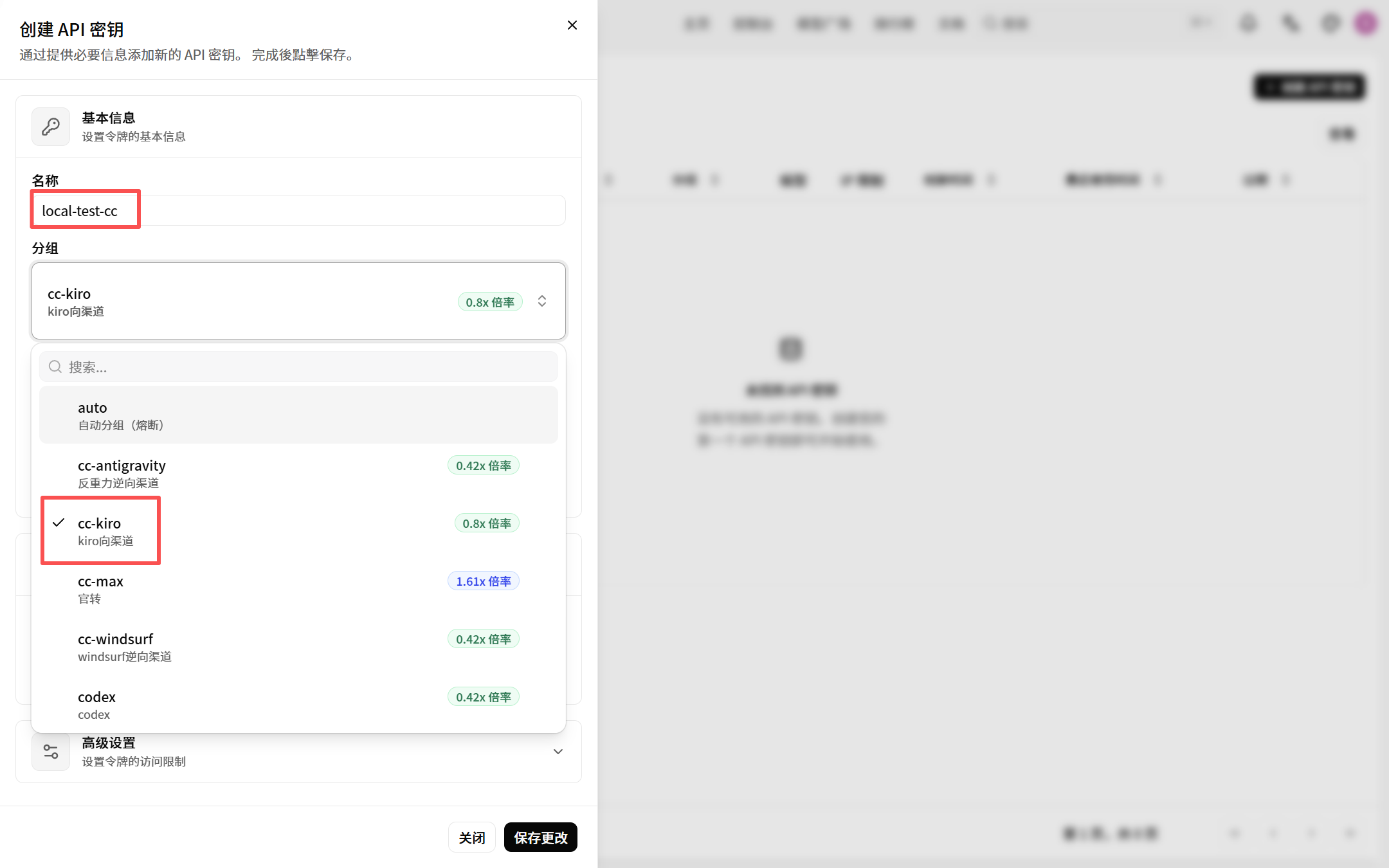
Once filled in, click "Save Changes" in the bottom-right corner.
Choose the token group based on your use case:
- Using it in Claude Code → choose the Claude Code-specific group
- Using it in Codex CLI → choose the Codex-specific group
- Using it in Gemini CLI → choose the Gemini-specific group
- Integrating third-party tools (OpenCode, etc.) → check "third-party support" for each group in the Model Groups introduction
Consequences of choosing the wrong group: API calls return errors such as "model does not exist", 404, 422, and so on.
Copy the Token
After successful creation, return to the token list and click the "Copy API Key" button to copy the token string to your clipboard.
We recommend saving the token immediately to a password manager or a secure local note. If you lose it, just delete the old token and create a new one — this does not affect your account balance.